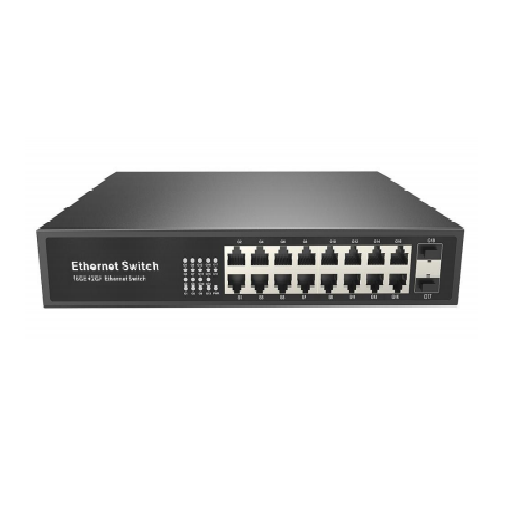
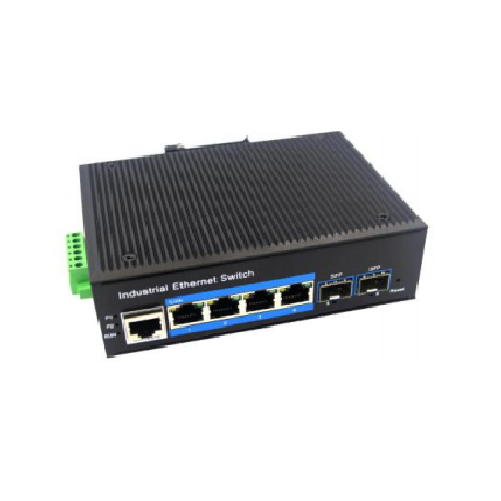
16-port Gigabit 2-SFP Ethernet Switch About
| Minimum Order Quantity | 5 Piece |
| Number of Ports | 16-Port Unmanaged Switches |
| Brand | sts |
| Model Name/Number | STS-16G-UES |
| Dimensions | 270*180*44.5mm |
| Warranty | 1 year |
| Weight | 1.5 kg |
| Power Consumption | Standby<7W, Full Load<16W |
| Country of Origin | Made in India |
| Network Type | gigabit |
Equipped with 16 gigabit RJ45 ports and 2 SFP uplink ports, this Ethernet switch delivers seamless data transfer for large and small networks alike. The robust 36Gbps switching capacity and 26.78Mpps forwarding rate enable smooth operation, even under heavy network loads.
Flexible Deployment in Diverse EnvironmentsDesigned with a metal housing and passive, fanless cooling, the switch operates silently and is adaptable for rack-mount or desktop placement. Its broad voltage compatibility and temperature resilience make it fit for various installations.
Enhanced Networking FeaturesSupporting port-based VLAN and QoS, this unmanaged switch helps you segment traffic and prioritize critical data streams, ensuring optimal performance and security across your network infrastructure.
FAQ's of 16-port Gigabit 2-SFP Ethernet Switch:
Q: How do I install and set up the 16-port Gigabit Ethernet switch?
A: Installation is straightforward; simply connect your network devices to the RJ45 ports and the uplink devices to the SFP ports. The unmanaged design means no configuration is needed-just plug in the power, and the switch begins operating automatically.
Q: What are the benefits of having 2 SFP uplink ports in addition to the 16 RJ45 ports?
A: The two SFP uplink ports allow for fiber optic connections, enabling longer distance data transmission and uplinking to backbone networks or additional switches, thus enhancing network scalability and flexibility.
Q: When is port-based VLAN support useful on this switch?
A: Port-based VLAN allows you to logically separate network traffic by grouping ports together, improving security and reducing broadcast traffic, which is particularly useful in segmented office or enterprise networks.
Q: Where can this switch be installed and what are its mounting options?
A: This switch can be installed in server rooms, offices, industrial environments, or data centers. It supports both rack-mount and desktop placement, adapting seamlessly to your preferred setup.
Q: What process should I follow if a port's LED indicator is not lighting up?
A: First, check the network cable and connected device for faults. Ensure the device is powered on and the network cable is properly seated. If the issue persists, try another port to determine if the problem is with the port itself.
Q: Can this switch handle VoIP or video streaming applications?
A: Yes, with QoS (Quality of Service) support, the switch prioritizes voice, video, and other critical network traffic, ensuring smooth and interruption-free performance for VoIP and multimedia applications.
Q: What is the expected lifespan and safety standard of this Ethernet switch?
A: The switch features an MTBF (Mean Time Between Failures) of over 100,000 hours and meets IP30 protection level and IEEE standards, indicating high reliability and safety for continuous operation.






 Send Inquiry



 Send Inquiry
 Send Inquiry
 Send SMS